Processes · 5 min read
Email, spreadsheet, back-office system: the cost of coordination work
By FlowSharp
October 21, 2026
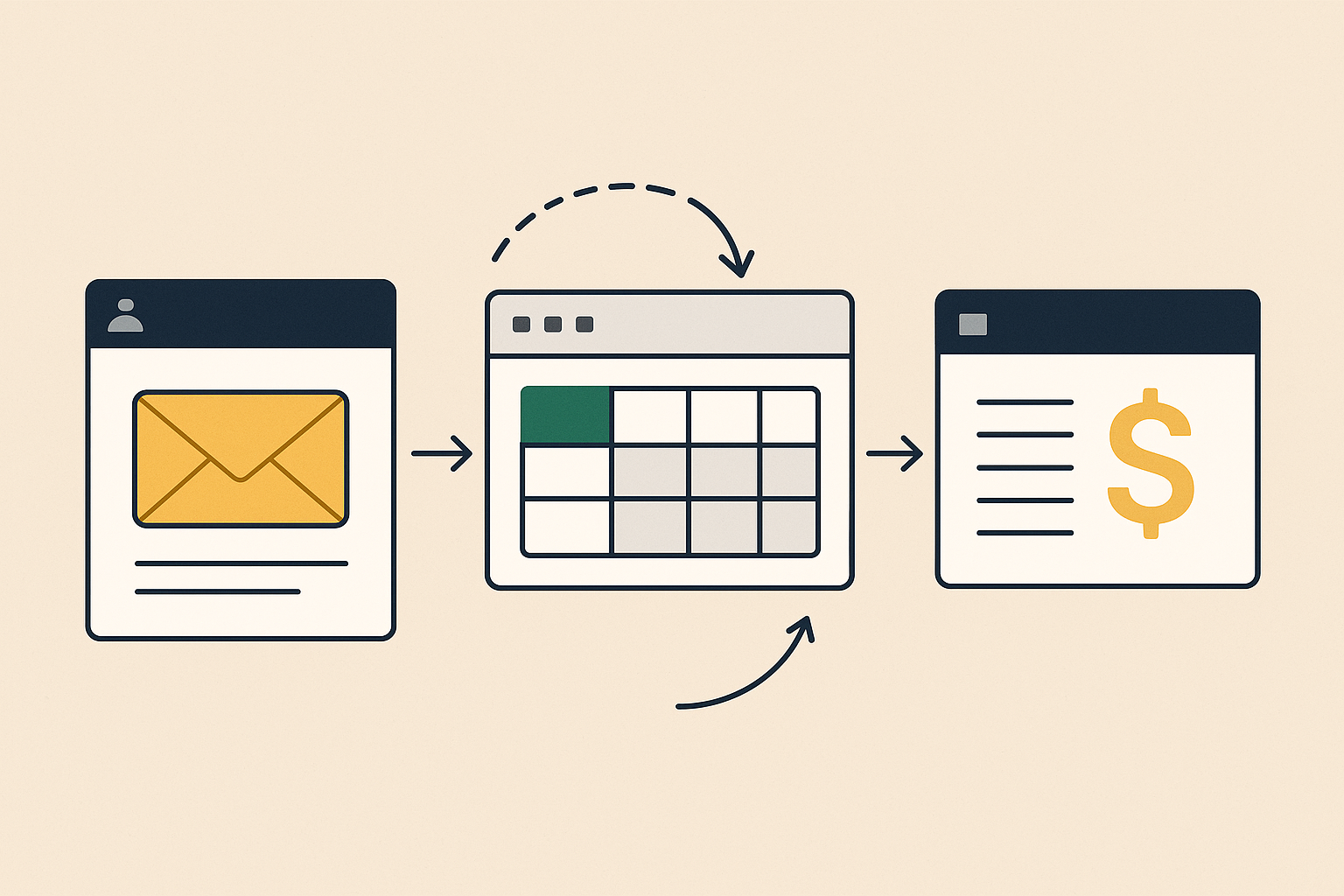
A request arrives by email, moves through a spreadsheet and ends up in the back-office system. The cost is not in any single tool but in the work needed to know where it stands.
How a request travels across three tools
A customer request arrives by email. Someone copies it into a shared Excel sheet so it can be tracked alongside the others. Later, a colleague re-enters it in the back-office system to create the order or the job. Each step makes sense, and taken on its own, each one works.
The problem shows up afterwards. The customer writes: "where do we stand?". Whoever gets the question checks the inbox, then the spreadsheet, then the back-office system, and often ends up asking a colleague. The three sources can tell different stories, because they are updated at different times by different people.
None of these tools is wrong. Email is for communicating, the spreadsheet for sorting and calculating, the back-office system for recording. What is missing is a single place that follows the request from start to finish.
Where the cost sits: the work around the work
The cost of this setup is not the licence fee of a piece of software or the time it takes to fill in a sheet. It is coordination: forwarding a message so someone sees it, hunting for the latest version of an attachment, sending a reminder, updating a "status" column by hand, repeating out loud what is already written somewhere else.
These are small tasks, almost invisible one by one, which is why they appear in no budget. Yet the people who do them know them well. The department head needs to know what is late. The operator needs to understand what is theirs to do. Management asks for a summary to get the picture and receives it in different formats.
There is also a knock-on effect. When the status of a request cannot be looked up, every "where do we stand?" interrupts the person who has to answer. And to answer, that person interrupts someone else.
What the Asana survey says, and its limits
According to Asana's "Anatomy of Work Index 2021", knowledge workers spend 60% of their day on "work about work": coordination, searching for information and status updates, rather than the work they were hired to do.
The figure needs to be read with its limits in mind. The sample covers more than 13,000 knowledge workers in seven countries (Australia, France, Germany, Japan, Singapore, the United Kingdom and the United States), with data referring in part to 2020. The survey was run by Asana, which sells work management software and therefore has a direct interest in the subject. It also relies on self-reported answers, so it is an estimate, not a measurement. It does not describe Italian SMEs or any specific department.
We cite it for what it is: a description of the problem, not proof that any particular tool solves it, FlowSharp included. It is useful as a perceived order of magnitude and as a prompt to check, inside your own company, how much time goes into requests and status updates. Someone else's number will not tell you that. Observing your own work will.
What changes for whoever asks for status: the case
In FlowSharp the unit of work is the case (in Italian, "pratica"): an instance of a process tied to a real object, such as an order, a customer request, a contract, a ticket, a compliance task or a job. It has a current stage, an assignee and a timeline. The question "where do we stand?" is answered by these three elements, without going through three tools.
The timeline shows who did what, even when the actor is an automation or a connected assistant, and the history of cases is immutable. It does not replace conversation between people, but it cuts down on after-the-fact reconstruction.
Whoever needs the overall picture uses the Cases page, which can be filtered by flow, stage, assignee, lifecycle (active, completed, overdue) and period. You can search by reference or title and export to CSV, up to 50,000 cases. Global search (Cmd+K or Ctrl+K) covers Flows, Process Maps, documents, Cases, Tasks and procedures, with the same permissions as the lists. Documents are uploaded and viewed from the case detail, so they are not scattered across attachments and folders.
For the operator, and where to start
The people doing the work also stop hunting for what to do next. The Tasks page opens filtered on "Pending", the Dashboard has a "My pending tasks" widget, and a notification about an assigned task opens the case directly. The path from alert to the work itself gets shorter.
The FlowSharp guide states that working inside a visible process reduces dependence on email and spreadsheets, untracked handovers and manual status searches. It says reduces, not eliminates. Email and spreadsheets remain useful for what they were built for; what changes is that they no longer have to act as the tracking system.
The blog's principle still applies: measure first, then automate. In practice, pick a single type of request and make its path visible. Then observe, over a short period, how often the status question comes up and who asks it. Only after that decide what is worth automating, starting from data gathered in your own company rather than from a figure in an external survey.