
Feature area
Cases under control, every day
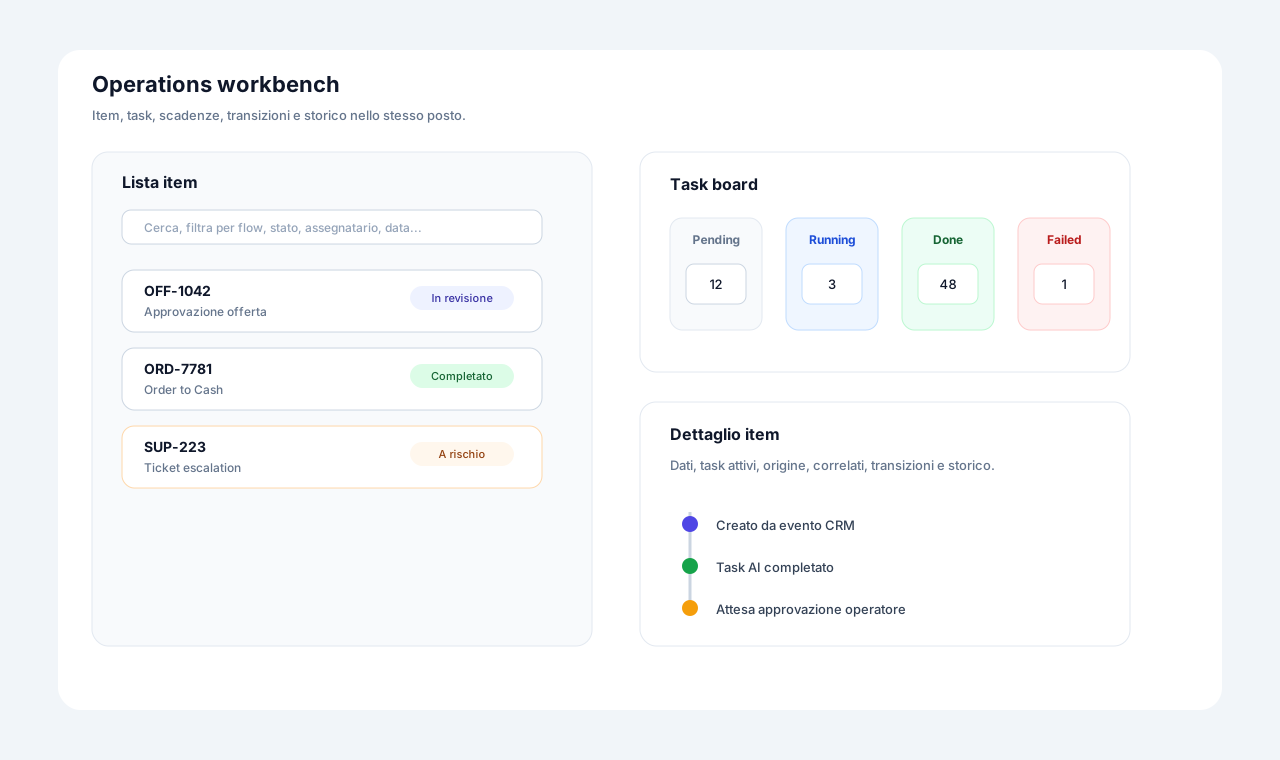
Once a flow is published, work moves to cases. The workbench gathers table, Kanban and calendar with filters built for situations that need attention: deviated cases, queued cases, stalled automation. Every case has a timeline in which the actor is always declared, whether a person, a rule, a timeout or an AI assistant with the person behind it.
Three problems this area solves
Nobody knows who did what
Between people, automations and assistants, rebuilding a decision takes an investigation.
Exceptions are found late
Blocked, deviated or queued cases surface when the customer calls.
Operators improvise
Without in-task guidance and ready data, everyone works their own way.
Case detail and "who did what" timeline
Every history line says who or what acted, down to the person behind an AI assistant.
Person, automatic rule, WIP release, timeout, event, sub-flow, API key, "person via AI assistant" (the person always appears) or "FlowSharp Support": the actor is always declared.
Technical details
- The origin of the case is always visible: manual, API, MCP, Flow Agent, event, sub-flow, scheduled, sample data.
The features
Case workbench
Table, Kanban and calendar with filters built for real operational work.
Show detailsHide details
The workbench is where daily work happens. Beyond classic filters, it has dedicated filters for situations that need attention.
Technical details
- Filters by flow, stage, assignee, lifecycle and period.
- Dedicated filters for deviated cases, cases in a WIP queue, with stalled automation, scheduled and awaiting confirmation.
- CSV export up to 50,000 rows.
- Team views saved by the designer, with per-user customization.
- Sensitive fields masked for read-only users.
Accessible multi-version Kanban
Stages with the same name across versions merge into one column, with a version badge.
Show detailsHide details
When a flow evolves, old and new cases sit in the same column and you can still tell them apart by the badge.
Technical details
- Drag and drop with rollback if the server refuses; keyboard-usable with screen reader announcements.
AI case summary
A green, amber or red light with a few sentences based on data, history and notes.
Show detailsHide details
Opening the case you see at once where it stands. The summary is regenerated at every stage change and flags when it is out of date, with the cause.
Technical details
- Can be switched off per organization, flow or stage.
- "Out of date" badge with the cause (SLA exceeded, WIP queue, stalled automation...).
Tasks page and "My tasks"
Five statuses, a filter for your work and notifications that open the task directly.
Show detailsHide details
Statuses: Pending, Running, Done, Failed, Skipped. The "Mine and in my scope" filter shows only what concerns you.
Technical details
- Outcome, notes, feedback and rating for every task.
- Dashboard widget and assignment notification with direct opening.
Guidance and "Do It" inside the task
Embedded content and instructions with the real case data already filled in.
Show detailsHide details
Inside the task you find an embedded page, video or form, and instructions with real case data already inserted, including links to uploaded documents.
Ad hoc tasks and tracked amendments
Add an unplanned task to a case and amend finished tasks with a before/after history.
Show detailsHide details
Reality does not always follow the flow. You can add a task to a single case without touching the process.
Technical details
- Notes, outcomes and times of finished tasks are amendable, with a before/after value history.
- Reopening with a mandatory reason.
Failed task recovery
Retry, skip or resolve with a note, without paying twice for an out-of-context AI call.
Show detailsHide details
When a task fails you have three clear choices: retry, skip or resolve with a note.
Technical details
- Retry is refused if the case has already left the stage: you do not pay twice for an out-of-context AI call.
- Release of executions left stuck, with a reason and audit.
Dashboard and real time
KPIs, distribution by stage, times per stage and at-risk cases, updated in real time.
Show detailsHide details
The dashboard shows automation trends and at-risk cases. Cases, tasks, notifications and the dashboard update in real time.
Global search ⌘K
A search across 10 sources that respects role visibility and never reads case data.
Show detailsHide details
The sources are features, menus, flows, maps, documents, cases, tasks, procedures, help and news. On cases it searches only title and reference, never the data.
Anti-ambiguity numeric fields
In Italian, "1.500" blocks saving until you choose between 1500 and 1.5.
Show detailsHide details
It is a small detail, but it avoids costly mistakes: the dot may be a thousands separator or a decimal, and the system asks you.
Control Room
The operational control center: all work in progress, queues and exceptions in one live view.
Deep dive
From task to timeline
The operator works from the Tasks page and the Mine and in my scope filter. Inside the task they find embedded content and instructions with the real case data already inserted, including links to uploaded documents. Outcome, notes, feedback and rating stay on the task. An assignment notification opens the right task directly.
When something goes wrong, the paths are clear. A failed task is retried, skipped or resolved with a note, but retry is refused if the case has already left the stage, so you do not pay twice for an out-of-context AI call. An unplanned task is added to a single case, and amendments to finished tasks keep a before and after history.
The timeline is the core of accountability: person, automatic rule, WIP release, timeout, event, sub-flow, API key, person via AI assistant or FlowSharp Support. The dashboard updates KPIs and at-risk cases in real time, while the AI summary, from Optimize, gives a traffic light and a few sentences based on data, history and notes.
Related use cases
Related areas
Frequently asked questions
Can I see cases in Kanban even with several flow versions?
Yes: stages with the same name merge into one column, with a version badge.
How do I tell why a case is not advancing?
The history records the status reason: rule not fired, event, timeout, iterations or WIP diversion.
Is the Control Room already available?
No, it is coming soon. Today the workbench and dashboard cover daily work.
Can cases be exported?
Yes, as CSV up to 50,000 rows, with sensitive fields protected according to role.