
The capability map
Twelve areas in four groups around a single control plane. Hover or use the keyboard to see three features per area.
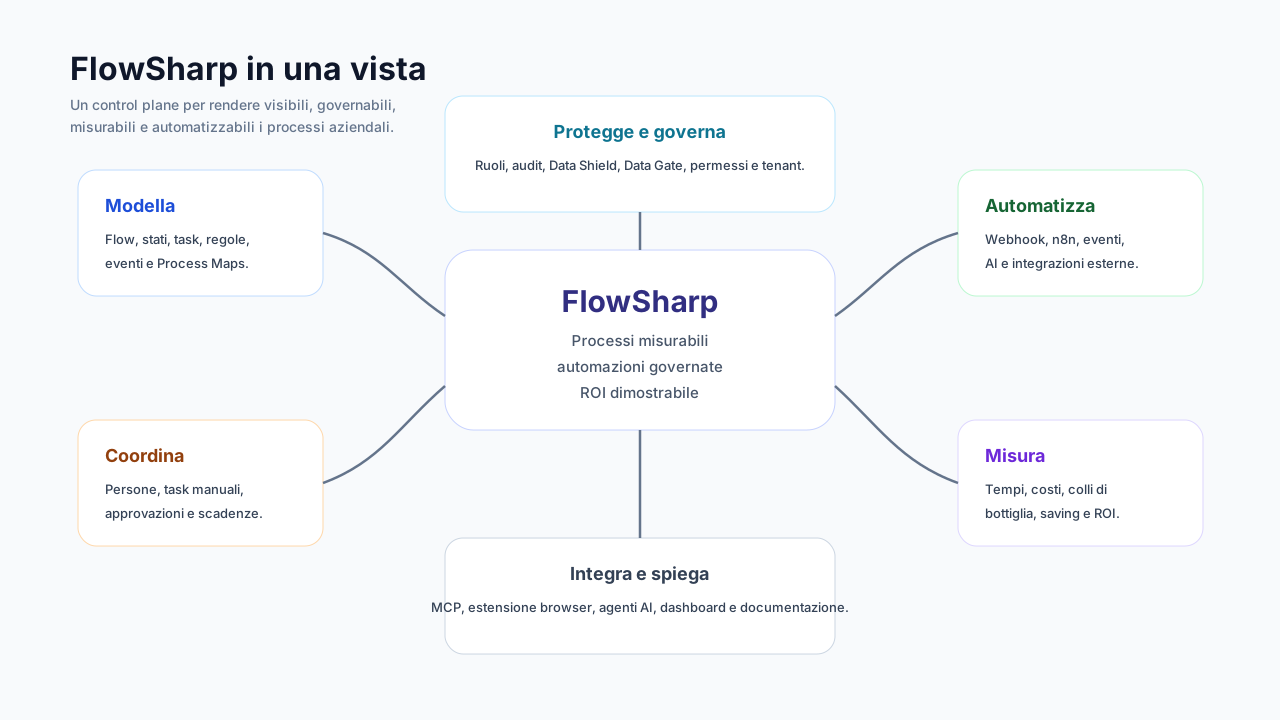
Illustrative diagram, not an official screenshot. Diagram labels are in Italian.
Filter by what you need
- 15 features
Flow Designer
Design processes the engine really executes, with rules, timings and versions.
Most distinctive
Explore the area - 10 features
Process Map
The end-to-end map that tells the truth: verified links, costs and health.
Most distinctive
Explore the area - 6 features
Process documentation
Process chart, PDF and operating procedures generated from the process, not written separately.
Most distinctive
Explore the area - 13 features
Case management
Where daily work happens: cases, tasks, timing and a readable history.
Most distinctive
Explore the area - 7 features
Human-in-the-loop
Automation proposes, a person decides when needed: fallback, confirmations and alerts.
Most distinctive
- Human fallback in the same task
- Start confirmation for AI and agents
- Multichannel alerting and acknowledgment
- 6 features
Documents
Attachments, library and sharing inside the case, with clear retention and quotas.
Most distinctive
Explore the area - 9 features
Governed AI
Use AI in processes with data shielding, a decision ladder and a full log.
Most distinctive
Explore the area - 6 features
AI agents and MCP
Connect AI assistants to the process with permissions, attribution and human confirmation.
Most distinctive
Explore the area - 10 features
Integrations
API, webhooks, events and n8n: connect systems without losing control of the work.
Most distinctive
Explore the area - 8 features
Analytics and ROI
From starting cost to demonstrated saving, with numbers that cannot be revised.
Most distinctive
Explore the area - 12 features
Security and compliance
Immutable audit, roles, retention and legal hold: tools in support of compliance.
Most distinctive
Explore the area - 5 features
Solutions and portability
Export, import and replicate processes and maps, without carrying credentials or real data.
Most distinctive
Explore the area
Eight things you will not find elsewhere, all together
They are the reason FlowSharp describes itself as process orchestration with governed AI.
- 01Data Shield
0 sensitive data exposed: reserved fields become placeholders before every AI call.
- 02Decision ladder: Person, fast AI, generative AI
A fast model decides when sure, an LLM restarts from scratch otherwise, and finally a person decides.
- 03Human fallback in the same task
If automation is uncertain or fails, the same task passes to a person: no extra task.
- 04Start confirmation for AI and agents
A case created by an AI assistant is born waiting: it runs only after a person presses Confirm start.
- 05The map tells the truth: verified wiring
Every arc is compared with the real wiring and colored by what is actually connected.
- 06What-if simulation
Pick the nodes to automate and get monthly saving, investment, residual cost and payback time.
- 07Frozen cost baseline
Observation period, data quality check and immutable freeze with a SHA-256 fingerprint.
- 08Agent attribution
History shows the AI client and the person holding the key; the cost goes to the key.
Where do you want to start?
Five routes, chosen by who you are and what you must do.
I am a process owner
I want processes that run the way I drew them.
I must prove ROI
I need numbers that survive scrutiny.
I must govern AI
AI must stay inside rules I can explain.
I integrate systems
I must connect CRMs, ERPs and agents without fragility.
I am a consultant or partner
I replicate solutions across clients, under my brand.
What each edition includes
Features are cumulative: each edition includes those of the previous one. Open a row to see the detail.
Outside the plan ladder:Partner: multi-tenantService: Saving Challenge
Plan limits
| Plan | Flows | Users | Active cases | MCP keys | AI credits |
|---|---|---|---|---|---|
| Free | 3 | 2 | 50 | - | no AI calls |
| Measure | 3-5 | 5 | 100 | - | - |
| Optimize | 15-25 | 15 | 500 | 2 | 200 |
| Automate | unlimited | 50 | 2.000 | 5 | 1.000 |
| Enterprise | unlimited | unlimited | unlimited | unlimited | 5.000 |
Flow limits follow the figures published on the Pricing page.
Features at work in real use cases
Six typical scenarios and the features that make them governable.
Manufacturing
Order to Cash
Features used
- End-to-end process maps
- The map tells the truth: verified wiring
- Events between processes
- Decision ladder: Person, fast AI, generative AI
- Analytics page
- ROI simulator
B2B Services
New customer onboarding
Features used
- Data Gate
- Tasks page and "My tasks"
- Reusable connectors and Integration tasks
- Generative AI tasks
- Scheduled start and related cases
Logistics
Complaints & escalation
Features used
- API start (Trigger)
- Decision ladder: Person, fast AI, generative AI
- Timeouts, SLA and exception routes
- Multichannel alerting and acknowledgment
- Case detail and "who did what" timeline
Administration
Purchase requests & approvals
Features used
- Explainable transition rules
- Approvals and allowed transitions
- Data Gate
- Roles, folder permissions and custom roles
- Analytics page
Compliance
AI governance in processes
Features used
- Data Shield
- Data minimization
- AI call log
- Human fallback in the same task
- Start confirmation for AI and agents
- Decision metrics
Consulting
n8n as integration engine
Features used
- Orchestration with n8n
- Asynchronous callbacks
- Reusable connectors and Integration tasks
- Signed inbound webhooks
- Verifiable outbound webhooks
- Events between processes
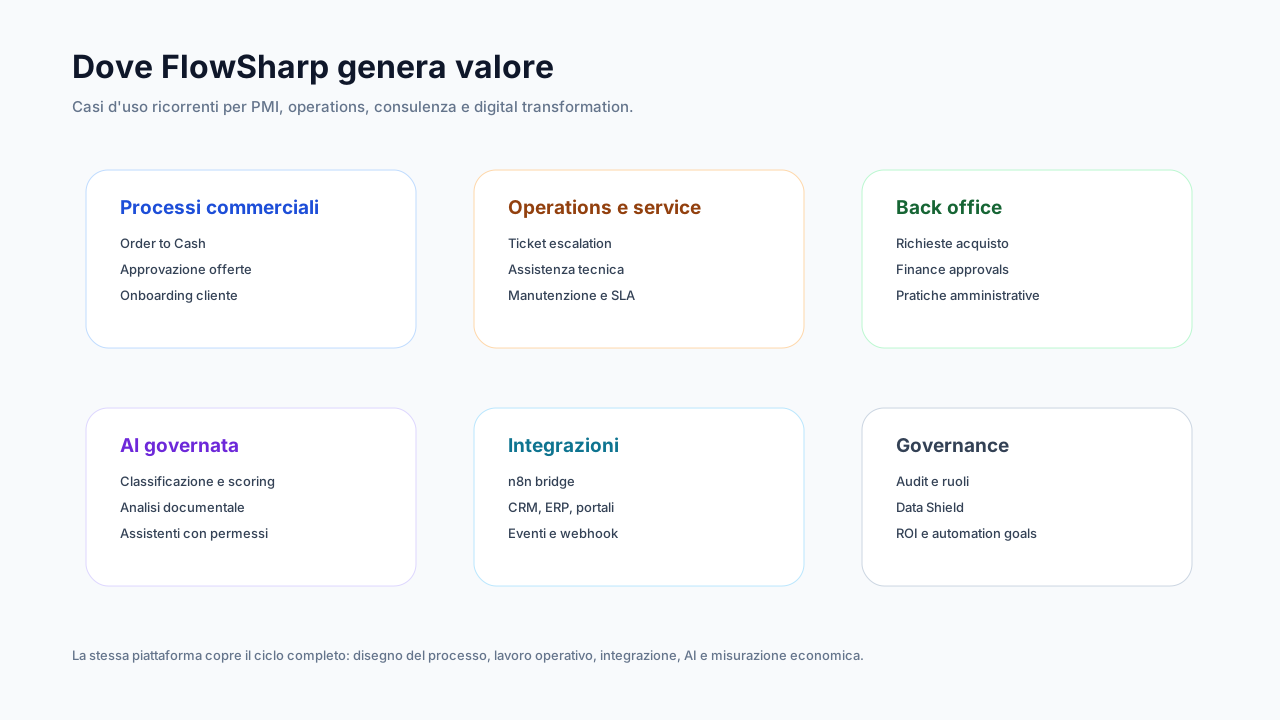
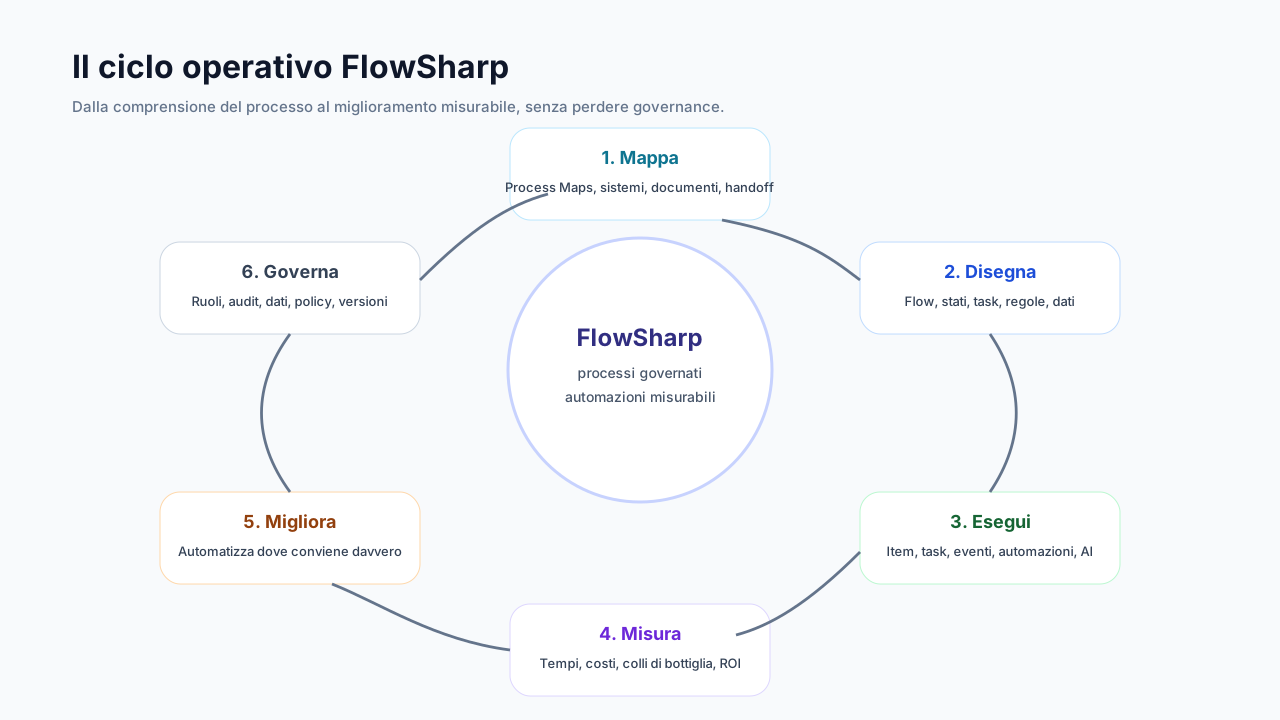
Illustrative diagram, not an official screenshot. Diagram labels are in Italian.
Frequently asked questions
What is FlowSharp?
FlowSharp is a process orchestration platform with governed AI: you design the flow, run it with people and automations, measure costs and times and prove the return.
What makes FlowSharp's AI different?
AI operates inside rules: Data Shield replaces reserved fields with placeholders before every call, a decision ladder puts a person in charge when the model is uncertain, and a log keeps costs and attribution.
Can I try FlowSharp for free?
Yes, the Free plan offers 3 flows, 2 users and 50 active cases, with no AI calls. AI-dependent features come with the paid editions.
How does FlowSharp connect to my systems?
With API and keys, signed inbound and outbound webhooks, events between processes, reusable connectors and n8n orchestration. There is also an MCP server and a browser extension.
Does FlowSharp make me compliant with GDPR and the AI Act?
No. FlowSharp provides tools in support of compliance, such as immutable audit, retention, minimization and human oversight. Compliance remains the organization's responsibility.
Where does my data run?
You can use the EU SaaS or install FlowSharp on-premise with Docker, even in air-gapped environments with a signed offline license.
Which features are still coming?
Two: enterprise Single Sign-On and the Control Room. They are always marked as coming soon and have no dates.
How is saving demonstrated?
With a frozen cost baseline, ROI simulator and Implementation Plan. The Saving Challenge is a separate BizCom service, not included in the plans.