
The process follows you, even inside the CRM.
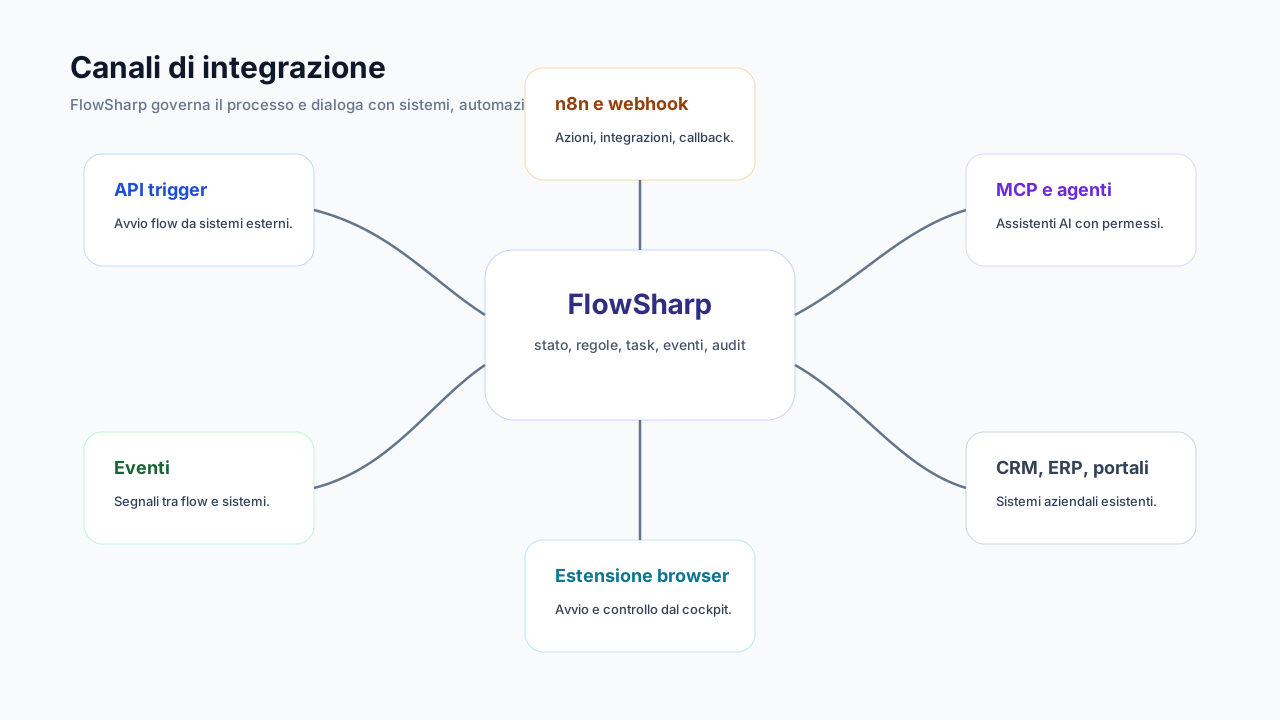
A browser side panel to start and consult FlowSharp cases while you work in the portals and back-office tools you use every day.
- For
- Operator
The problem
Operators spend the day inside CRMs, supplier portals and SaaS back-office tools. To start or update a case they have to switch tabs, search, copy data and paste it, risking mistakes and losing the link between the case and the external record. Every context switch costs attention, and the link between the customer in the CRM and the case in FlowSharp is left to the memory of whoever is working. Bringing the process next to the work, instead of bringing the work to the process, reduces steps, avoids copy-paste and keeps the reference to the external entity inside the case from the start.
CRM page (generic)
- Customer record
FlowSharp side panel
- Customer: ACME S.p.A. · 2 active cases
- [Start onboarding]
How it works
- 1
Install the extension
From the Chrome Web Store, or download the preconfigured package from Settings → Extension.
- 2
Connect it once
The connection inherits two-step verification and renews itself in the background, so there is no need to log in again every day.
- 3
Work from the side panel
You read the page context, start a case linked to the entity you are looking at, consult status and activities, complete a human fallback.
- 4
Open in FlowSharp
With one click, with direct access through a one-time token. You move to the full app without a new login.
Specifications
| Installation | Chrome Web Store or versioned preconfigured package |
|---|---|
| Connection | 90 days with automatic renewal; at most 10 active connections per user |
| App access | one-time token valid for 60 seconds, bound to the browser |
| Security | inherited two-step verification; session duration cap |
| Start rules | the same as the manual start of the flow (roles included) |
| Languages | Italian and English, according to the browser |
An operational example: a customer in the CRM
An operator works on a customer record in a generic web CRM. They open the FlowSharp side panel, which reads the page context and shows the customer, in the example ACME S.p.A., with two active cases linked to that entity. If the customer is new, the operator presses Start onboarding: the case is born already linked to the external record, without copying data between tabs. They can consult the state of existing cases, see assigned activities and complete a human fallback without leaving the CRM page. When the full application is needed, Open in FlowSharp takes them there with a one-time token valid for 60 seconds, so without a new login. The diagram beside it is illustrative, with a generic CRM page and the side panel, and not an official screenshot. The extension is available from the Optimize edition.
How to verify security and connections
Whoever manages security can verify the extension in Settings → Extension, where active connections appear. Each user can have at most ten, each lasts 90 days with automatic renewal and inherits two-step verification, and there is a cap on session duration. Direct access to the app uses a one-time token bound to the browser, so no reusable credential is left behind. Start rules are the same as the manual start of the flow, roles included: an operator cannot start from the extension a flow they could not start from the app. Starts are recorded as the user's own human gesture in the history. If a laptop is lost, the connection is revoked from Settings or Disconnect all sessions is used, which also closes the extension. This way the extension does not open a parallel path without controls.
Related features
- Case workbenchTable, Kanban and calendar with filters built for real operational work.
- Flexible flow activationManual start, from API, from an event, from an AI agent, or scheduled for a future date.
- Human fallback in the same taskIf automation is uncertain or fails, the same task passes to a person: no extra task.
- Two-step verification and sessionsMandatory for administrators, with 10 single-use recovery codes and per-device sessions.
- API start (Trigger)E-commerce, CRM, ERP or portals start a case with one call and an API key.
Use cases
Frequently asked questions
Does it work with any CRM?
It works with web applications open in the browser: it reads the page context and links the case to the external entity.
Do I have to log in every day?
No: the connection renews itself, in line with two-step verification.
Can an operator start any flow from the extension?
Only those they can also start from the app, with the same rules.
How do I revoke it if I lose my laptop?
From Settings → Extension, or by disconnecting all sessions.