
Feature area
The process map that does not lie
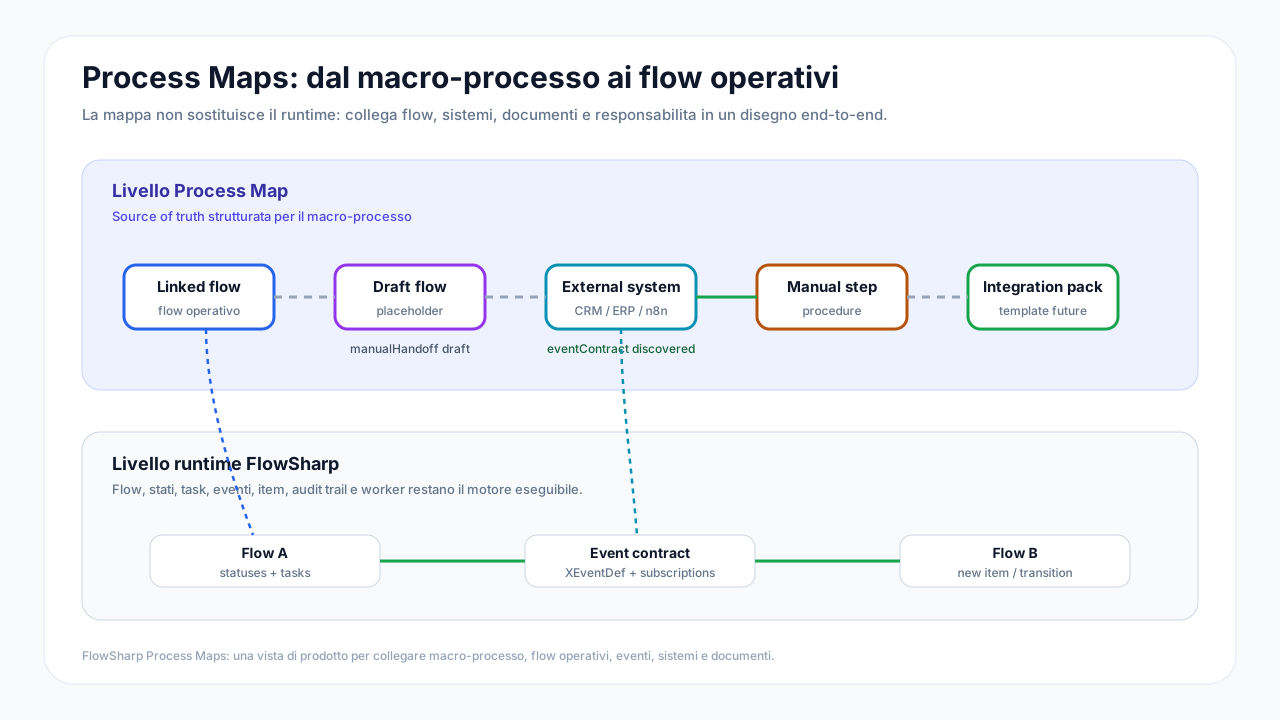
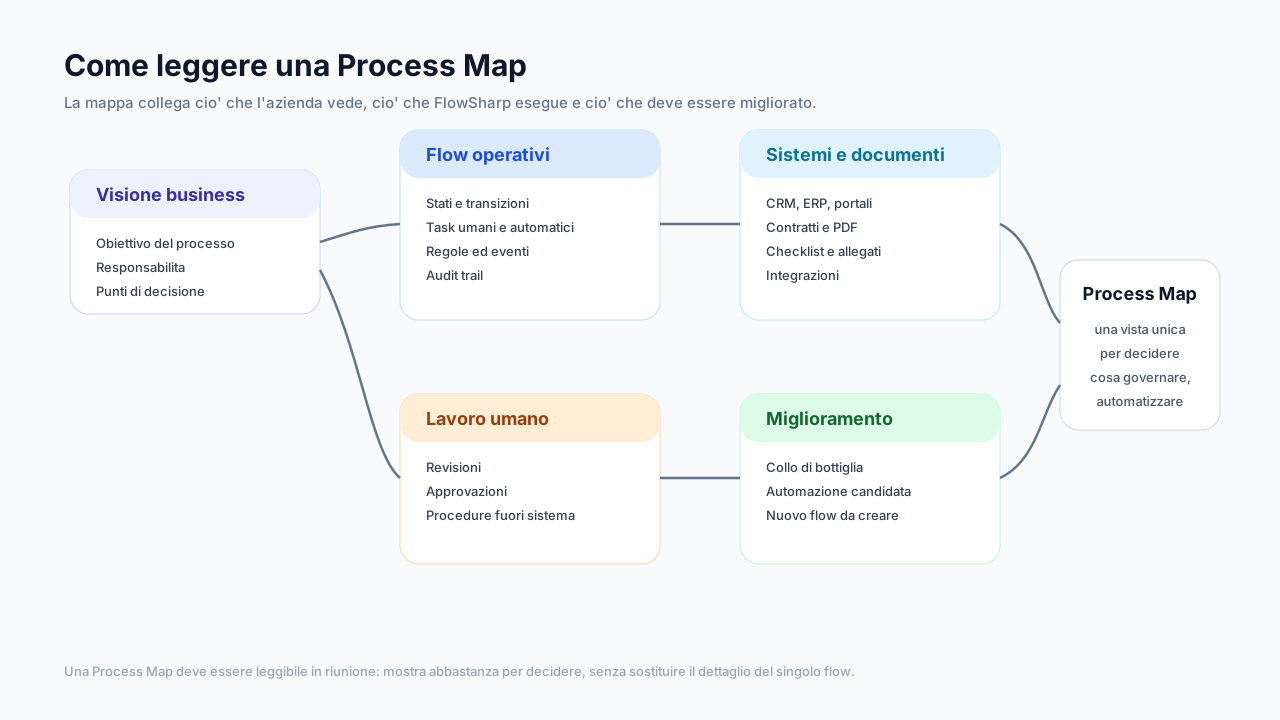
The Process Map sits above individual flows and shows the macro-process for what it is: flows, external systems, documents, actors and manual work on the same canvas. The drawing is not decorative. Every link is compared with the real wiring, and the four lenses turn the map into a measuring tool. It is the part of the method where the process becomes visible and, above all, quantifiable.
Three problems this area solves
The macro-process lives in a few heads
Nobody has the full view: each team knows its part and ignores the manual steps upstream and downstream.
Hand-drawn maps age
A static map stops being true the day after the meeting, and nobody notices.
Cost is a feeling
Without numbers on manual work it is impossible to say where to automate and how much is recovered.
The map tells the truth: verified wiring
Every arc is compared with the real wiring and colored by what is actually connected.
A hand-drawn map can lie. In FlowSharp every arc is compared with what is really configured, so you immediately see what is only an intention and what actually works.
Technical details
- Green = wired; amber = partial; dashed gray = drawn only; indigo = configured but inactive; red = broken.
- Automatic detection of real connections between flows.
- A "Wire" button that creates the event and trigger with a ready HTTP snippet.
- Transactional "Unlink" with preview.
- Badges with the real start modes of each node.
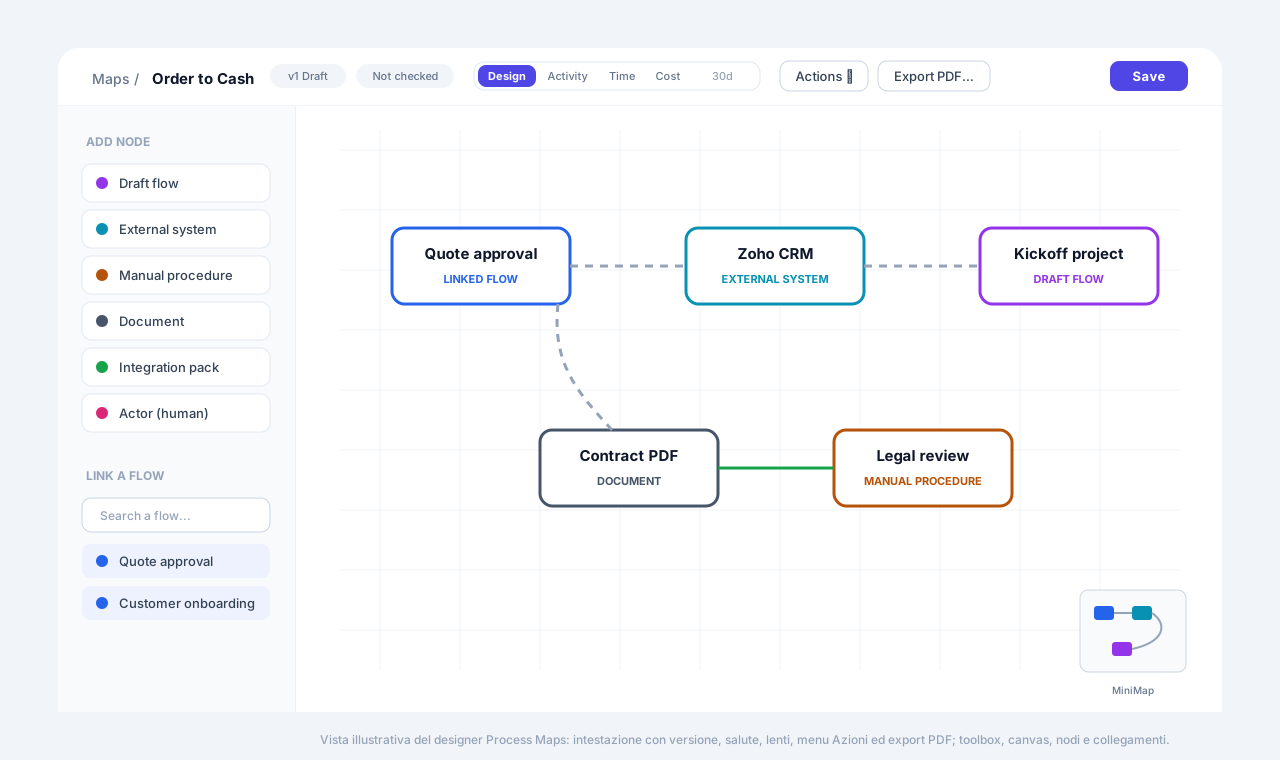
Four lenses: Design, Activity, Time, Cost
The same map read over 7, 30 or 90 days: activity, time and cost, measured and estimated always kept apart.
Lenses turn the drawing into a dashboard. The Cost lens in particular is included from Optimize; the other lenses come with the Process Map.
Cost lens from Optimize.
Technical details
- Periods of 7, 30 or 90 days.
- Activity: events per arc and cases in progress per flow.
- Time: median lead time against the expected one.
- Cost: measured against estimated, always kept distinct.
- Estimated manual-work costs (minutes, euros per minute, runs per month).
What-if simulation
Pick the nodes to automate and get monthly saving, investment, residual cost and payback time.
Before investing you try the scenario on the map. The simulation never touches real data and always separates the measured share from the estimated one.
Technical details
- Measured and estimated shares always kept separate.
- The scenario does not touch real data.
- Up to 30 nodes linked to flows.
- A scenario can become an initiative in the Implementation Plan.
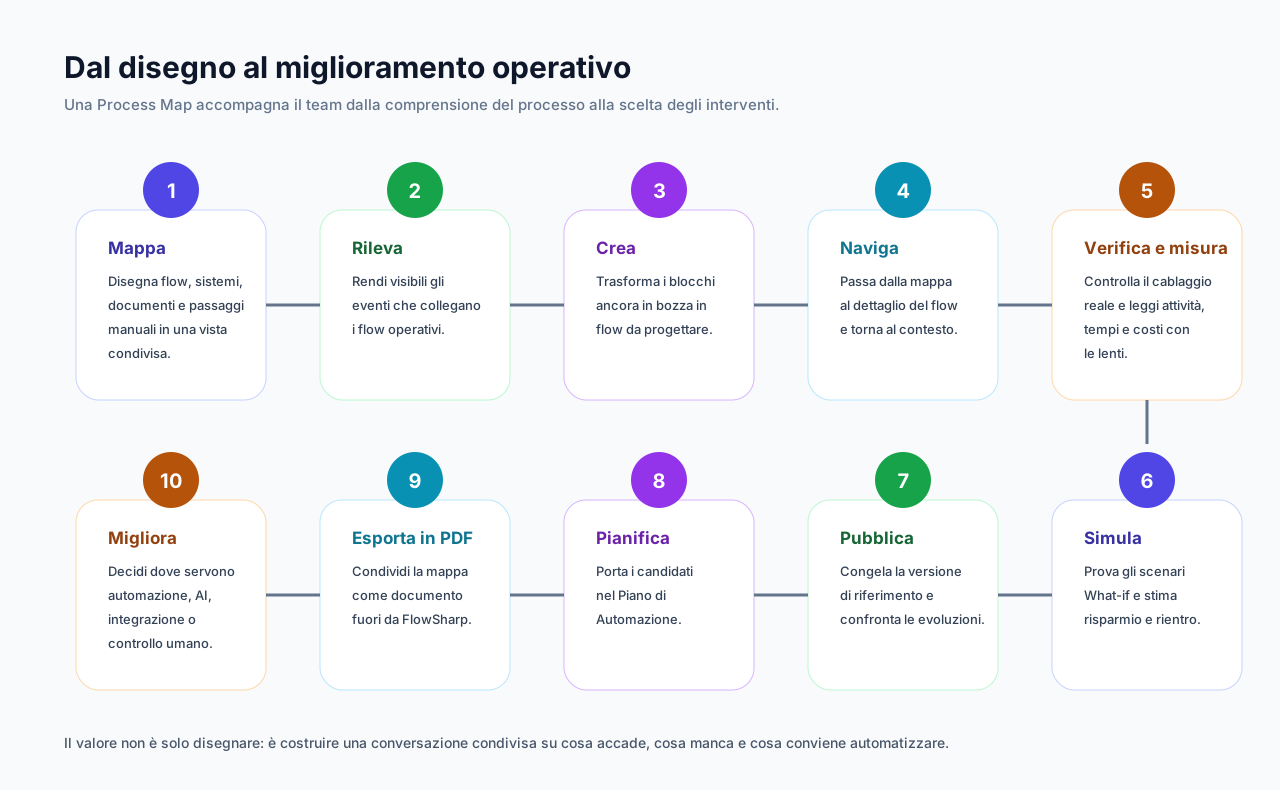
The features
End-to-end process maps
Flows, systems, documents and manual work on the same map, at the same level.
Show detailsHide details
The Process Map is the view that sits above individual flows. Manual work sits on the map at the same level as automation, because that is often where costs hide.
Technical details
- Seven node types: linked flow, draft flow, external system, manual procedure, document (input/output/transformation), human actor, integration placeholder (design only).
- Links of type manual handoff or event contract.
- Two-way navigation between map and flow.
Design the macro-process before building it
"Draft flow" nodes that become real flows in one click when you are ready.
Show detailsHide details
You can plan the whole end-to-end path even if not every flow exists yet. Draft nodes materialize when you decide to build them.
Technical details
- A node follows the latest published version or stays pinned to a specific version.
Map copilot and text editor
Describe in words and the AI proposes the map in a readable text format (BPMN-Lite).
Show detailsHide details
The AI proposes, you decide: every proposal always arrives as a preview, never applied automatically.
Technical details
- Always a preview with a diff, never automatic application.
- Automatic linking to existing flows by name.
Map health and diagnostics
Health badge, clickable diagnostics and operational alerts when something gets stuck.
Show detailsHide details
The map knows when something is wrong, in the drawing as well as in daily work.
Technical details
- Health badge (errors, warnings).
- Clickable diagnostics: broken links, events without emitter or listener, archived flows or flows with no way to start.
- Operational alerts: cases past SLA, in a WIP queue, deviated or stalled.
- Automatic recheck when a linked flow changes.
AI map analysis with governed alerting
The AI reads aggregated data only and, with an alert flow, opens a governed case.
Show detailsHide details
The analysis looks at aggregated data only, never at case content. When action is needed, a case with owners and history opens, not just a notification.
Technical details
- Optional automatic analysis when health worsens.
- With an alert flow, a governed case opens, not just a notification.
Map versions with a story of the differences
From draft to published to new version with a note, and a comparison described in natural language.
Show detailsHide details
Every published version carries its own note. Comparing two versions also gives you a natural-language description of the differences.
Technical details
- A published map protects the flows it represents, which cannot be deleted.
Map document PDF
Drawing, legend, flows with stages and tasks, and metrics up to 366 days in a single PDF.
Show detailsHide details
The PDF is designed for review, signing, archiving and client workshops. It includes an optional Saving Challenge chapter.
Deep dive
From drawing to measurement
Seven node types represent everything a real process is made of: linked or draft flows, external systems, manual procedures, documents, human actors and integration placeholders, the latter design only. Links are manual handoffs or event contracts. Manual work sits on the map at the same level as automation, because that is where the largest costs hide.
Live wiring makes the map reliable: every arc is colored by what is truly connected, from the green of active links to the dashed gray of what is only drawn. One click on Wire creates the event and trigger with a ready snippet. The four lenses, Design, Activity, Time and Cost, read the same map over 7, 30 or 90 days, always keeping measured separate from estimated.
From here the investment reasoning starts. In What-if you pick the nodes to automate and get monthly saving, investment, residual cost and payback time, without touching real data. A scenario can become an initiative in the Implementation Plan, and the published map exports to a document PDF for workshops, review and archive.
Related use cases
Related areas
- Analytics and ROIFrom starting cost to demonstrated saving, with numbers that cannot be revised.
- Flow DesignerDesign processes the engine really executes, with rules, timings and versions.
- Solutions and portabilityExport, import and replicate processes and maps, without carrying credentials or real data.
Frequently asked questions
Does the Process Map replace flows?
No. The map sits above flows: it links them, measures them and also includes what is not automated.
How do I tell measured cost from estimated?
The Cost lens always shows them apart. Manual work is an estimate based on minutes, cost per minute and monthly runs.
Does the simulation change real data?
No, What-if works on a scenario and does not touch cases, flows or configurations.
Can I hand the map to a client?
Yes, with the document PDF, available from Optimize, and with map package export.